![Natural-Intel_logo__reverse_horiz_rgb.png]](https://help.naturalintelligence.ai/hs-fs/hubfs/Natural-Intel_logo__reverse_horiz_rgb.png?height=50&name=Natural-Intel_logo__reverse_horiz_rgb.png)
If you notice a severe slowdown in the time it takes to train a NIML model, the NPU hardware drivers may have been removed from the system. If this happens, the NIML NPU will only operate as a software only NPU, even if the parameters are with the required specifications for hardware acceleration.
Check if Drivers are installed
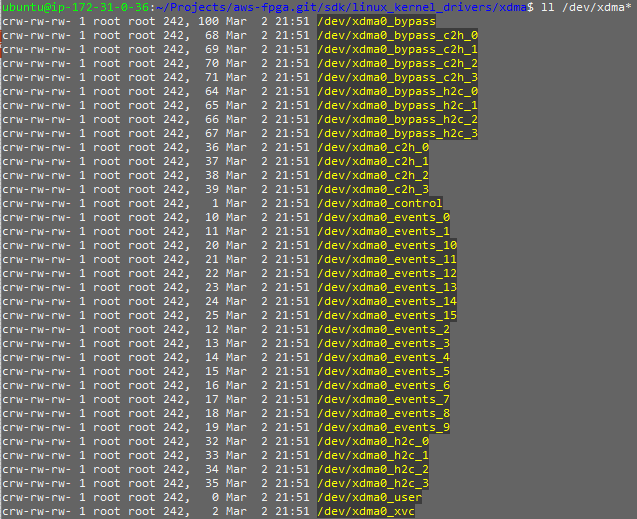
To check if the driver are installed you can run a query in the /dev folder:
ll /dev/xdma* # Note the first characters are lower case LL
If the result is empty then the drivers will need to be reinstalled as follows:
1. Run the Setup Scripts
source ~/aws-fpga/sdk_setup.sh

2. Load the FPGA Image
sudo fpga-load-local-image -S 0 -I agfi-0a30dc5b4f9b59e7d

3. Verify the Correct FPGA Image ID is Installed
The image ID should start with 'agfi'
sudo fpga-describe-local-image -S 0 -H

4. Install the XDMA Drivers
cd aws-fpga/sdk/linux_kernel_drivers/xdma

sudo make install
5. Verify Drivers are Installed
ll /dev/xdma* # Again, note the lower case LL